How do I delete my account

How to proceed on the website event

As a registered event participant or community member, you can request the deletion of your Paris Event Forum account.

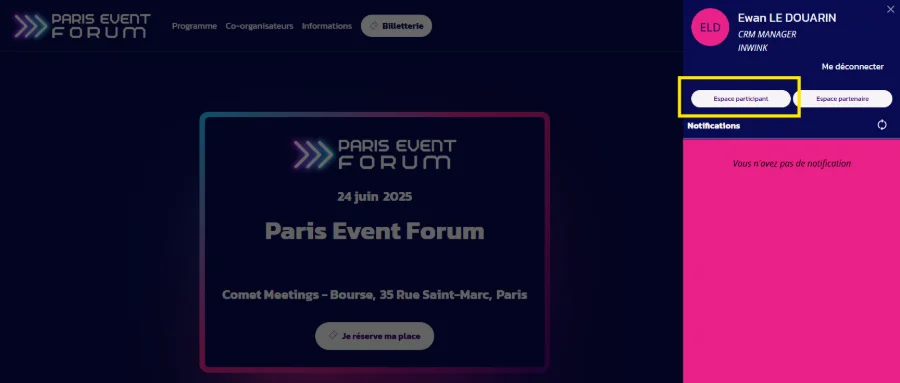
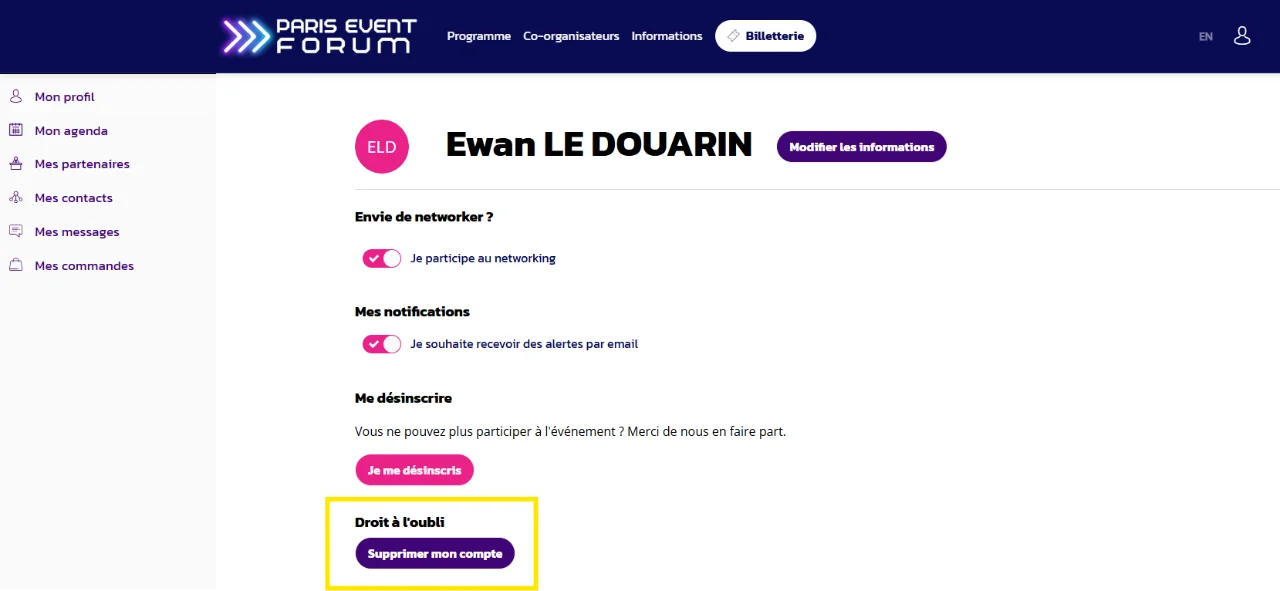
Go to your event website > click on your profile (by clicking the button in the top right corner) to access your participant area


Click on the last button, in the “Privacy protection” category: “delete my account”.


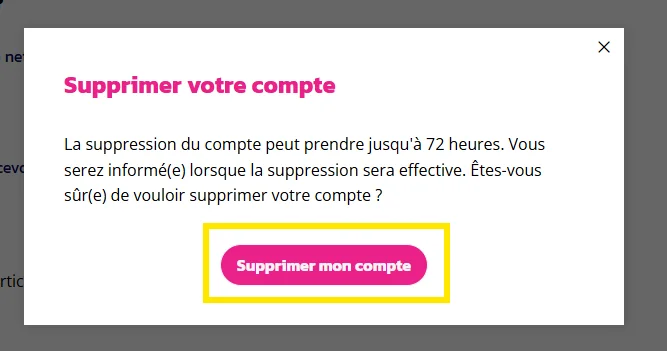
 Confirm by clicking on the button: “delete my account”.


How to proceed on the app

As a registered event participant or community member, you can request the deletion of your Paris Event Forum account.
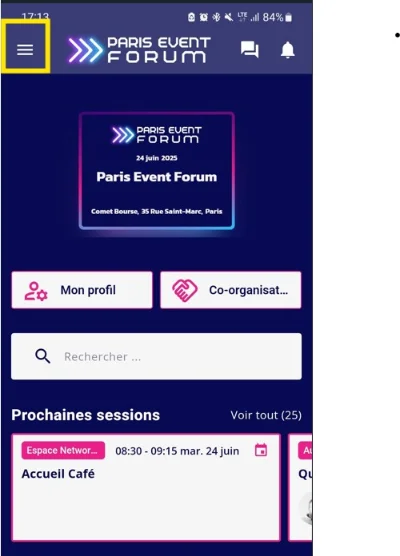
On the application, click on the burger menu icon (top left)

On the application, click on the burger menu icon (top left)


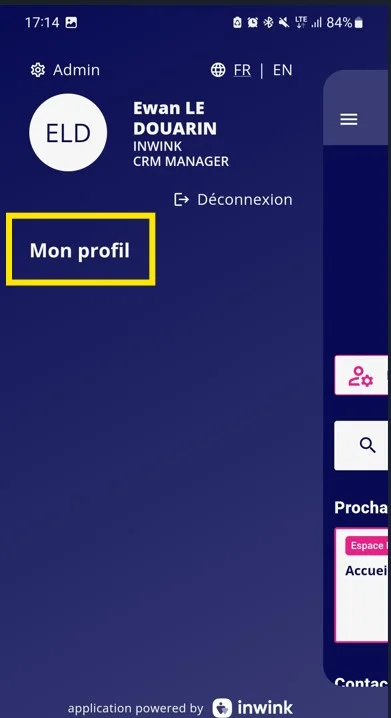
Then click on the button: “My profile”.

Then click on the button: “My profile”.


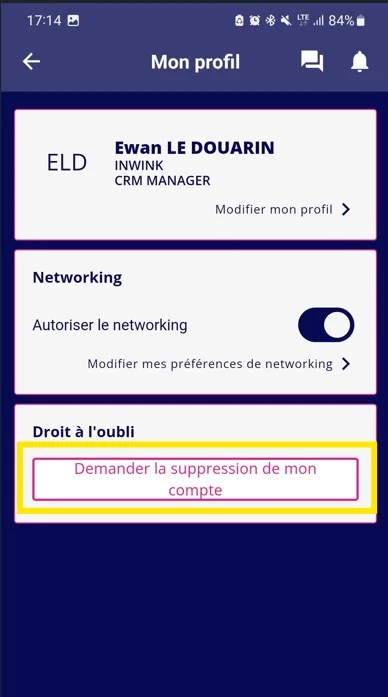
Click on the last button, in the “Privacy Protection” section: “Request account deletion".

Click on the last button, in the “Privacy Protection” section: “Request account deletion".


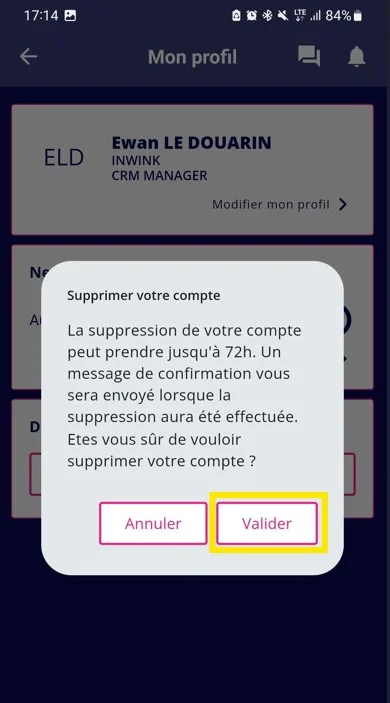
Confirm your choice by clicking on the “Confirm” button. Your data will be deleted within 72 hours.

Confirm your choice by clicking on the “Confirm” button. Your data will be deleted within 72 hours.